One organization. Your team’s way of working.
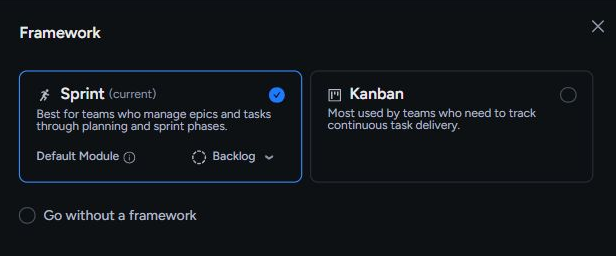
Engineering can plan sprints while ops runs Kanban. Choose Sprint, Kanban, or a flexible backlog for each team space, with shared task details and views that fit each role.
Task management for engineering-led teams
One task tracker for engineering, product, design, and ops.
Free during beta. No credit card required.
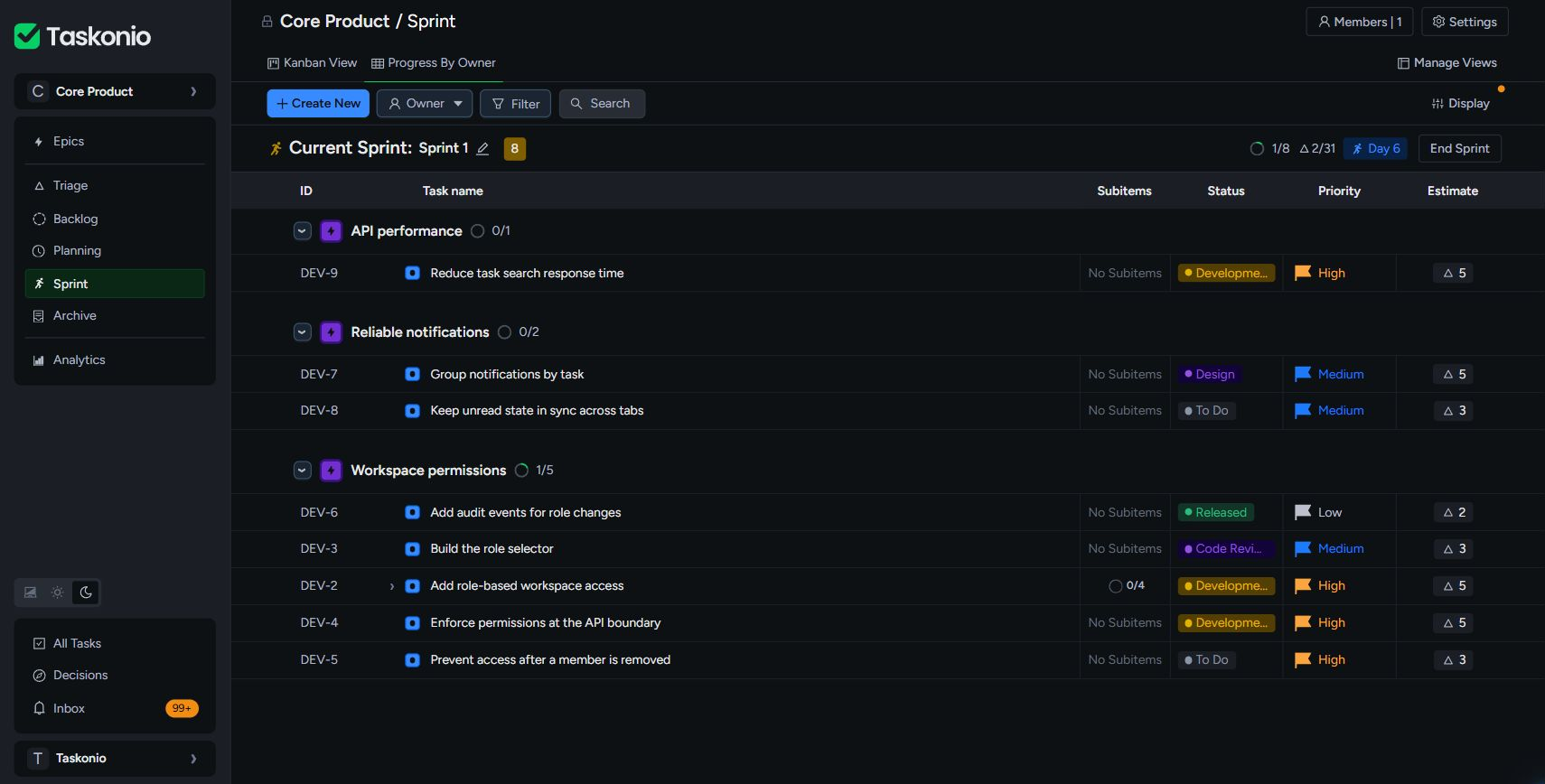

Engineers get the planning structure they need. Product, design, and ops can work alongside them, without adopting the same process.
Engineering can plan sprints while ops runs Kanban. Choose Sprint, Kanban, or a flexible backlog for each team space, with shared task details and views that fit each role.
Select the work and watch task and estimate totals update. Keep the discussion focused with a planning timer, then start the sprint with the scope in view.
With Decisions, review AI proposals like a pull request: compare current and proposed task values, read the reasoning, then approve, reject, or skip each change.
Explore Decisions and Vibe AITaskmanagementshoulddisappearintothework.Clearenoughtounderstandimmediately.Flexibleenoughtofittheteam.Fastenoughtokeepthoughtandexecutioninthesameflow.
The workflow
The product connects planning and execution without making either one heavier than it needs to be.
Explore every feature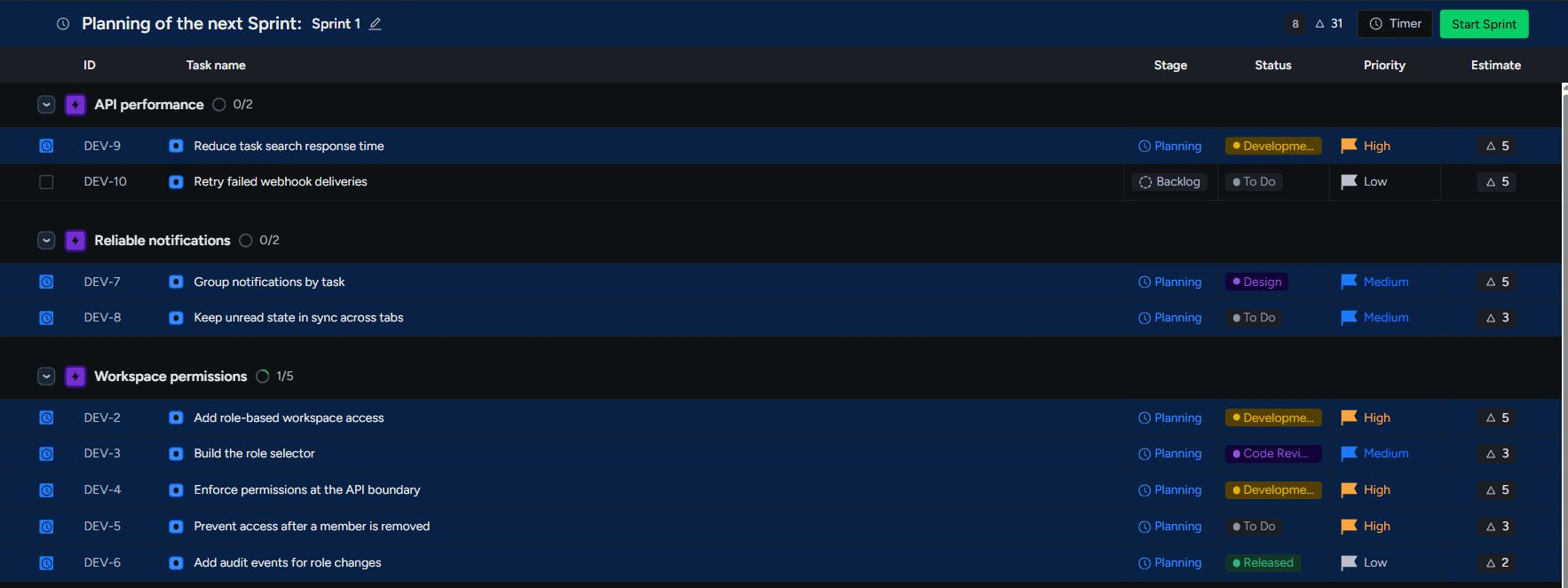
Plan sprints in minutes with three focused modules - Backlog, Planning, and Sprint - plus live scope totals and flexible views for every planning conversation.
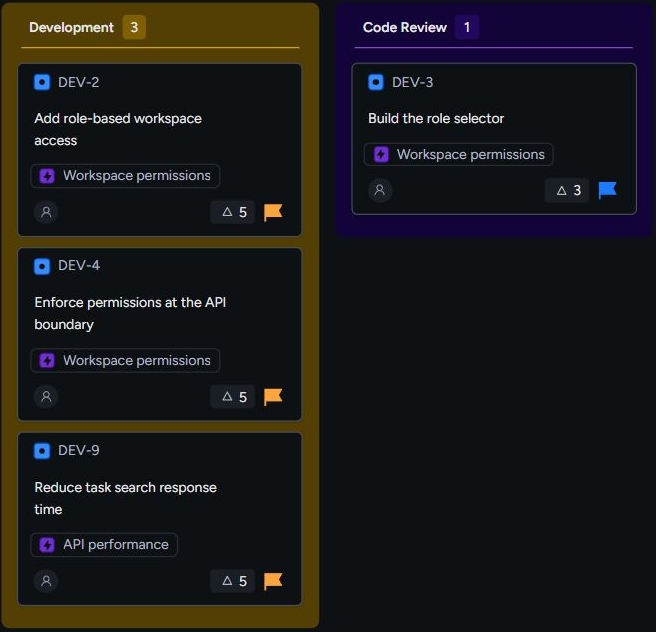
Choose Kanban for a clean two-module flow - Backlog and Kanban - with table and board views for teams that want continuous delivery without sprint ceremony.
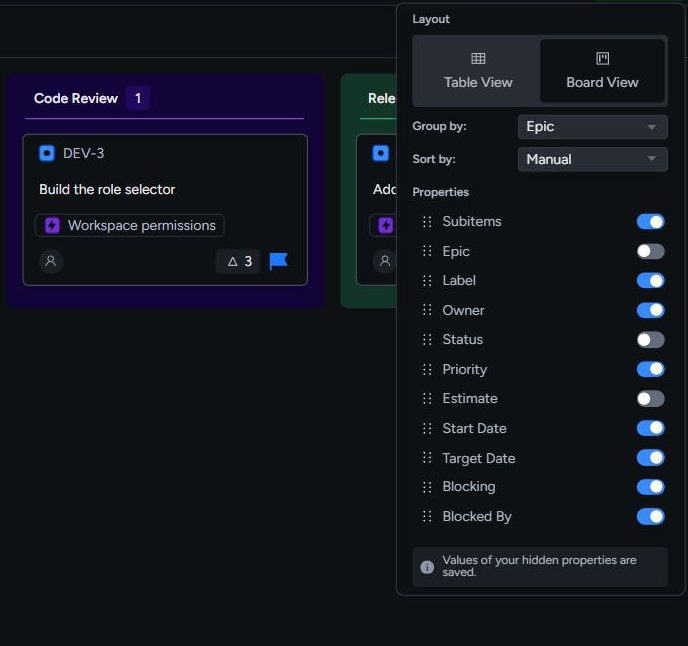
Create multiple table and board views across Backlog, Planning, Sprint, and Kanban, then keep adjustments local or share them with the team.
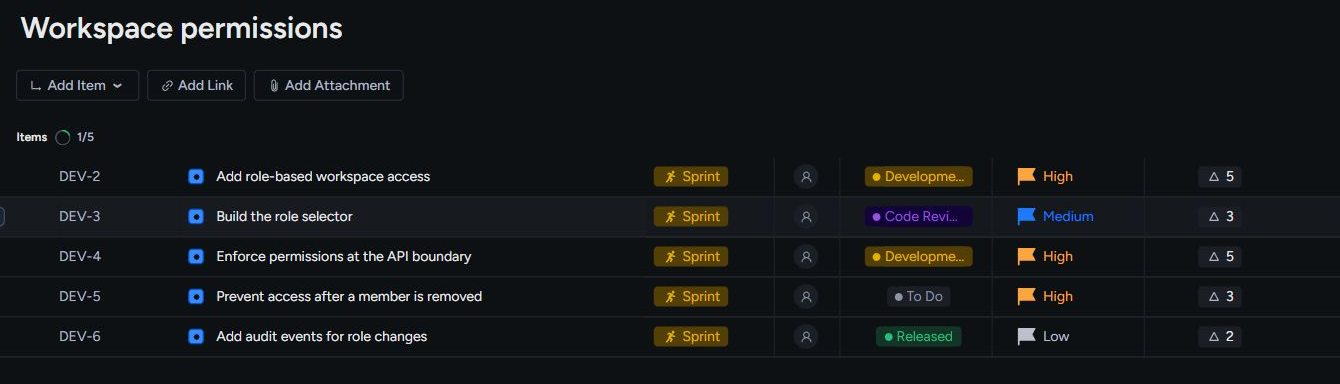
Organize work in team spaces, connect initiatives to epics, items, and sub-items, and give each piece the ownership and properties it needs.
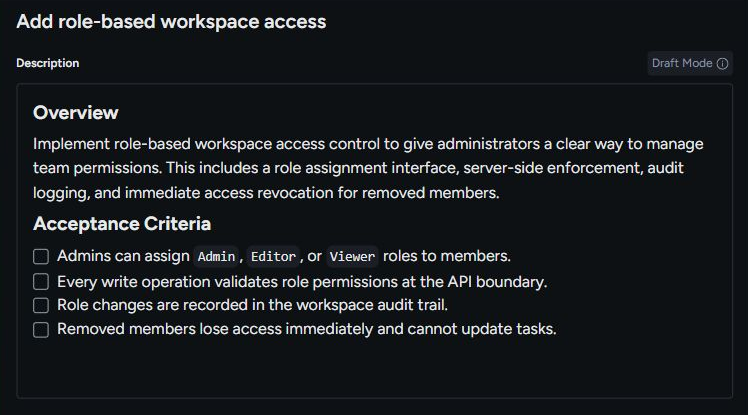
Use Vibe Speccing to draft a specification, Vibe Breakdown to propose child work, and Decisions to review AI recommendations against the current state of a task.

Actions keep assignments and direct mentions visible until you mark them done. Updates keep you informed about comments and changes, then leave the unread view once read.
Taskonio AI
Vibe Speccing drafts the specification. Vibe Breakdown proposes the child work. Decisions helps you review recommended changes against what is there now. You choose what to apply.
Vibe Speccing
Add the title and context. Taskonio drafts a type-aware description and acceptance criteria, while you remain in control of what gets saved.
Vibe Breakdown
Break down an epic or item, then rewrite, reorder, or remove every suggestion before applying the plan.
Taskonio MCP
Connect through the Model Context Protocol. Claude Code, Claude Desktop, Cursor, Windsurf, and other compatible clients can work with your tasks, spaces, and sprints.
Set up Taskonio MCPAuthorized workspace connection
Streamable HTTP endpoint
https://api.taskonio.com/v1/mcpAuthenticate once, then choose which Taskonio workspace your compatible agent can access.
From the teams using Taskonio
Taskonio is for teams who find Jira bloated, Linear too opinionated, and tools like Asana or Notion not suited for real engineering work.
Senior Software Engineer
B2B SaaS startup, San Francisco
Taskonio is for pragmatic teams who value simplicity, quality, and speed.
Product Manager
Growth-stage startup, Stockholm
Taskonio helped us simplify our process and reduce unnecessary overhead.
Founder
Outsourcing Agency, London
Taskonio is task management software for small and growing engineering-led companies. Engineers, product managers, designers, QA, and operations teams can plan and track work in one organization, with Sprint, Kanban, or no framework chosen separately for each team space.
It depends on what your team needs. Linear is a strong fit for teams that want its opinionated workflow, cross-project planning, and Git-linked automation. Jira offers deeper workflow configuration and enterprise governance. Trello works well for simple visual boards. Notion brings docs, knowledge, and flexible databases together, and also supports sprints. ClickUp, Asana, and monday.com cover a broader range of company-wide work, with reporting, automation, and portfolio management. Taskonio focuses on day-to-day planning and delivery for engineering-led teams: backlog, sprint planning, Kanban, and estimates are built in, with framework choices per team space. Choose Taskonio when you want that focused workflow; choose a broader tool when its extra capabilities are central to how you work.
Create an organization or join an existing one through your email domain, create a team space, choose its initial framework and visibility, then invite teammates.
No. A team space can use Sprint, Kanban, or no framework. The workspace adapts to the choice, and guided property remapping supports changing frameworks later.
Yes. Framework choice belongs to each team space, so one organization can support sprint teams, Kanban teams, and teams using only a backlog.
Taskonio supports epics, items, and sub-items. Items and sub-items can be tasks, bugs, stories, features, improvements, experiments, or ideas.
Modules can contain multiple table or board views. Display options and filters can remain local or be deliberately shared with the team space.
Vibe Speccing drafts descriptions and acceptance criteria. Vibe Breakdown proposes child tasks. Both let you review and edit the draft before applying it. Decisions adds a review queue for AI recommendations: compare current and proposed task values, read the reasoning, then approve, reject, or skip each change. An authorized MCP agent can also create and update tasks directly, so its tool actions are separate from this draft-review workflow.
Yes. Taskonio supports CSV import with field mapping. Export your task data, map the supported fields, and check a small sample before moving a full backlog. Available export formats depend on the source tool and plan. Documents, automations, and tool-specific relationships may need to be rebuilt; a CSV import is not a complete copy of another system.
Everything in Taskonio is free during beta, with no credit card required. Sign up with your team during beta and you also get 12 months free after beta ends. Paid plans will follow, and some features that are free during beta will become paid. We will communicate the timing and terms in advance. The pricing page shows the planned tiers and the early-supporter offer.
Assignments and direct mentions become persistent Actions that require deliberate completion. Informational activity appears in Updates and clears from the default unread view after it is read.
Yes. Taskonio provides an MCP server for Claude Code, Claude Desktop, Cursor, Windsurf, and other compatible clients. It can work with authorized tasks, workspaces, sprints, planning sessions, and Taskonio AI tools.
Moving from another tool? Compare workflows and migration options. For beta eligibility and planned paid tiers, read the pricing FAQ.
Create a workspace, choose how your team works, and start moving real work forward.
No credit card. No setup call.